


Tips for Choosing the Best Pre-Built Gaming Computers for Your Needs
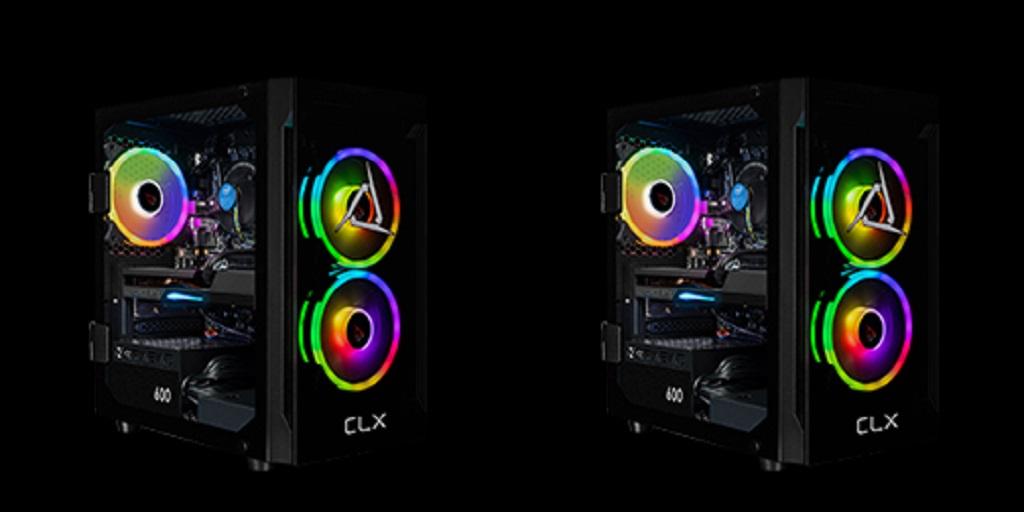
Choosing a new computer can be challenging due to the numerous hardware options available. The good news is that pre-built gaming computers simplify this process by providing tested configurations that are ready to use right out of the box. Instead of having to compare individual components, you can concentrate on finding a system that aligns with your goals. Continue reading to learn about the important factors to consider before making your decision.
Define How You Will Use the Computer.
Start by identifying the primary purpose of the system. Some players focus on competitive multiplayer titles that benefit from high frame rates, while others prefer visually detailed single-player experiences. A computer may also be used for streaming, video editing, graphic design, or schoolwork.
Knowing how the system will be used makes it easier to prioritize the hardware that matters most.
Focus on the Processor
The processor handles many of the computer's essential tasks. It influences application performance, multitasking, and overall responsiveness.
Current-generation processors from AMD and Intel offer excellent options for different budgets. A faster processor can provide a smoother experience when running demanding software or managing multiple programs simultaneously.
Choosing a balanced processor helps create a system that performs well for years.
Select the Right Graphics Card
The graphics card has a major impact on visual quality and frame rates. It determines how well games perform at different resolutions and graphics settings.
High-end graphics cards support advanced visual features, while mid-range models deliver excellent performance for many popular titles. Selecting the right option depends on display resolution, preferred settings, and performance expectations.
Matching the graphics card to your monitor helps avoid unnecessary spending.
Make Sure Memory and Storage Meet Your Needs
Memory allows applications to run efficiently while switching between multiple tasks. Many modern systems include enough RAM for gaming, creative software, and everyday productivity.
Storage also deserves careful attention. Solid-state drives provide faster boot times, quicker game loading, and improved responsiveness compared to traditional hard drives.
Many users appreciate systems that include generous storage capacity for games, media libraries, and creative files.
Consider Future Flexibility
Technology changes regularly, and hardware requirements increase over time. Selecting a computer with room for future upgrades can extend its useful life.
Extra memory slots, additional storage connections, and an appropriately sized power supply may provide greater flexibility if future upgrades become desirable.
Planning can help reduce replacement costs later.
Look for Tested Systems With Reliable Support
Factory-tested computers minimize compatibility issues before reaching your home, ensuring a smoother installation process.
Support services are another valuable consideration. Technical assistance and warranty coverage can provide reassurance if questions arise after purchase.
Checking these details before buying helps create a better ownership experience.
Compare Value Instead of Price Alone
The lowest price does not always represent the best value. Consider the complete package, including hardware specifications, build quality, testing, support, and shipping availability.
A balanced system can provide dependable performance across gaming, creative work, and everyday computing without unnecessary compromises.
Find a Ready-to-Ship System From CLX Gaming
If you are comparing ready-to-use gaming PCs, CLX Gaming offers systems designed for different budgets and performance goals. Ready-to-ship models feature current hardware, undergo testing before shipment, and provide a convenient option for anyone looking to start using a new computer without a long wait.
For more information about Clx Gaming Pc and Best Custom Pc Builder Please visit: Cybertron International, Inc.

 English
 Arabic
 French
 Spanish
 Deutsch
 Turkish
 Dutch
Dutch
 Italiano
 Russian
 Romaian
 Portuguese (Brazil)
 Greek
Greek